
16 in 1 Network Repair Tools Professional Network Cable Tester Kit Network Maintenance Kit for RJ11 / 12/45 Network Crimper Tool with 17 Connectors and 2M Network Cable
-
5% off when you buy 4 or more.
-
Get 5% off your next purchase.
-
Enjoy free delivery on orders above A$300.
-
Orders are processed and shipped from Victoria, Australia.


3-6 days (Domestic)


30-Day Return Guarantee
Confidence-backed purchases with 30-day return support.
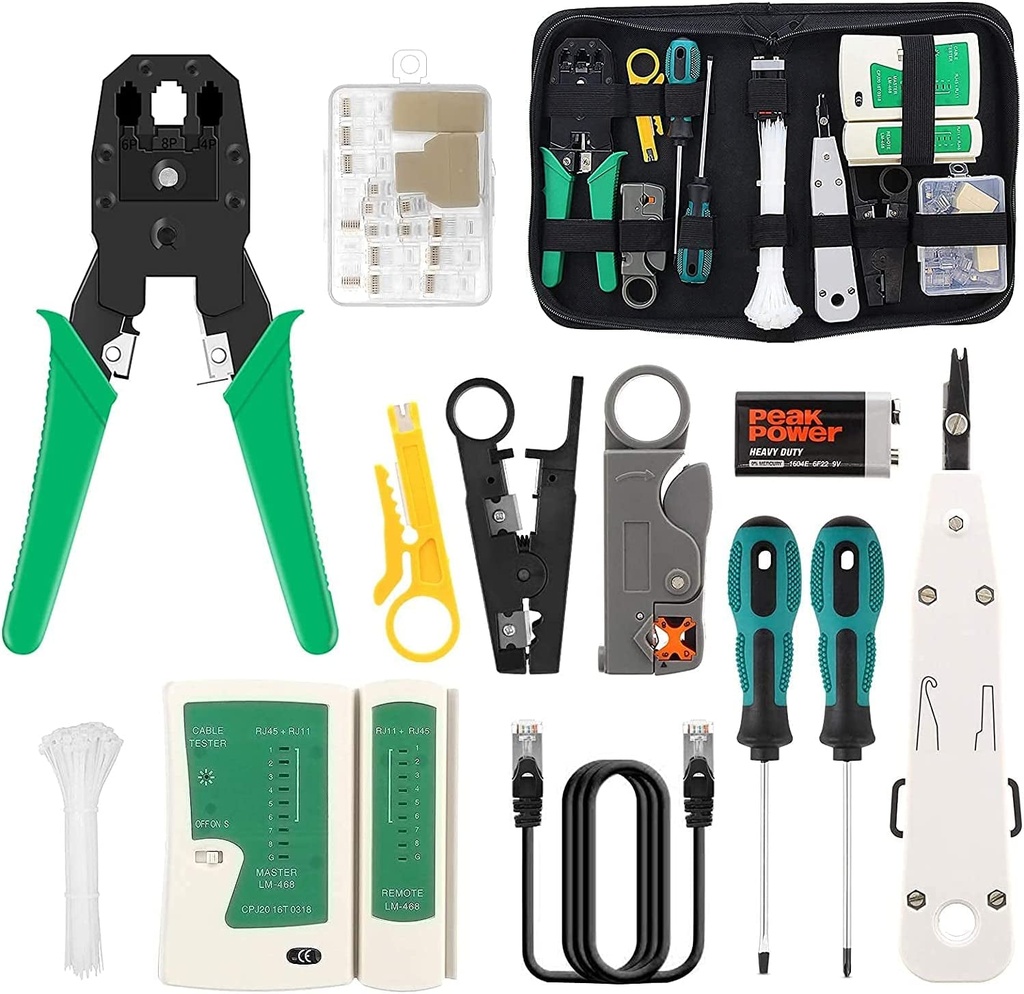
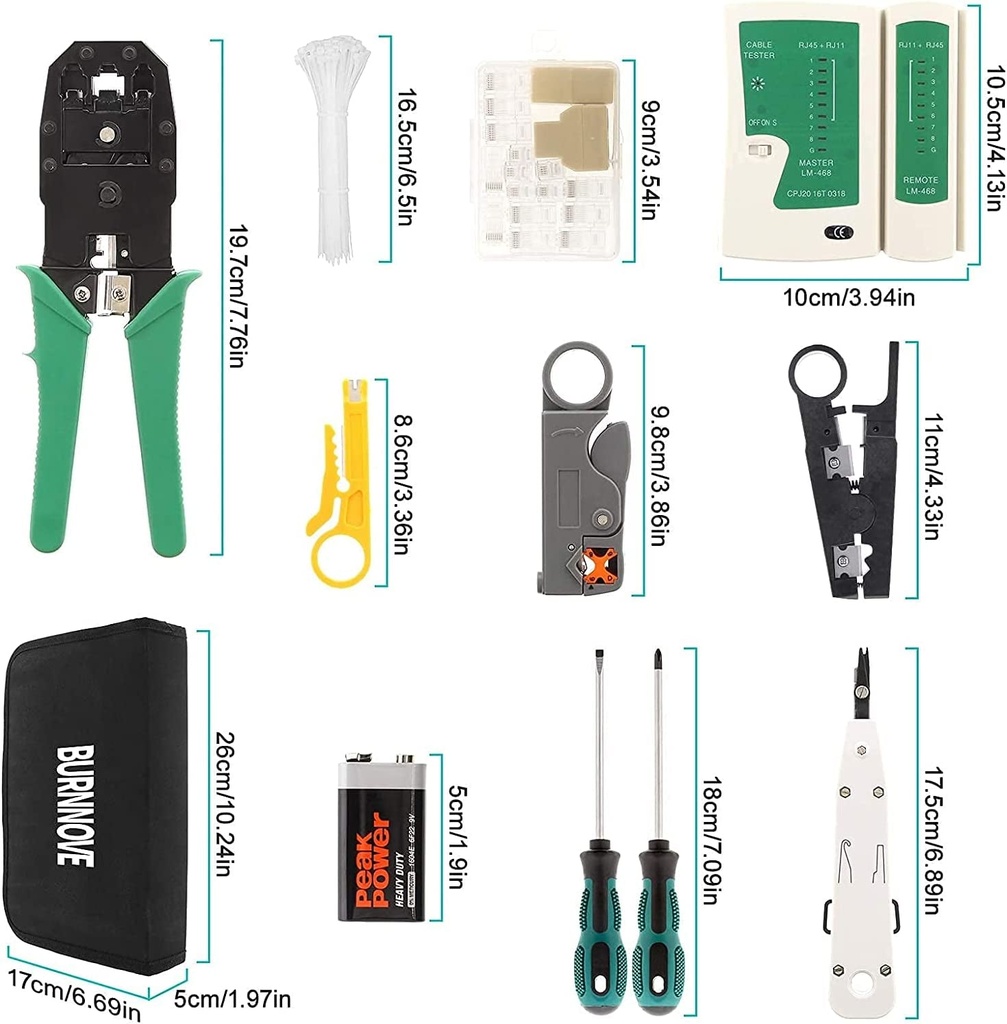
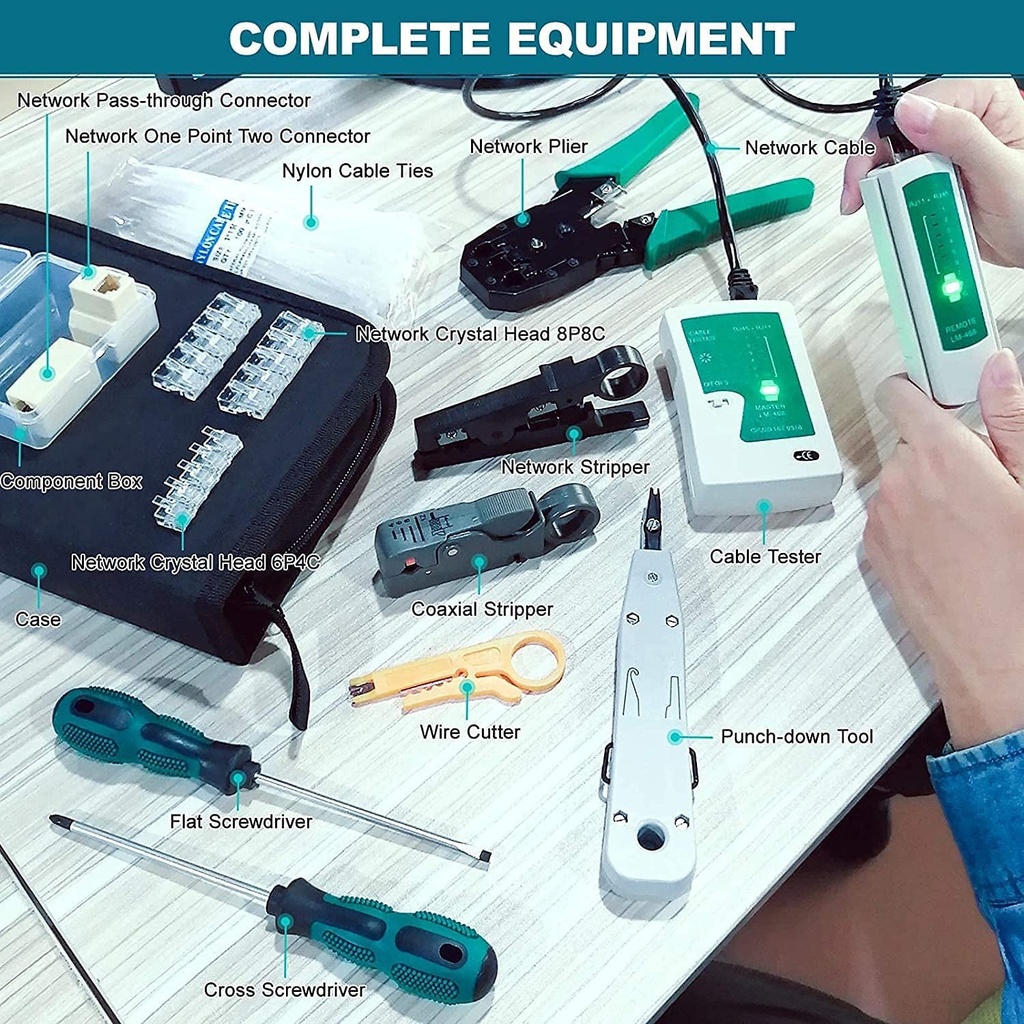
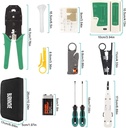
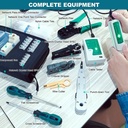
- 🔧【Complete Kit】16 in 1 tool set, including a network cable gland, a network cable tester, a network cable stripper, a cable cutter, a flat and Phillips screwdriver, a network cable stripper, a drilling tool and heads, connectors, etc. RJ45 (8P8C) / RJ12 (6P4C). They can help you make an effective repair.
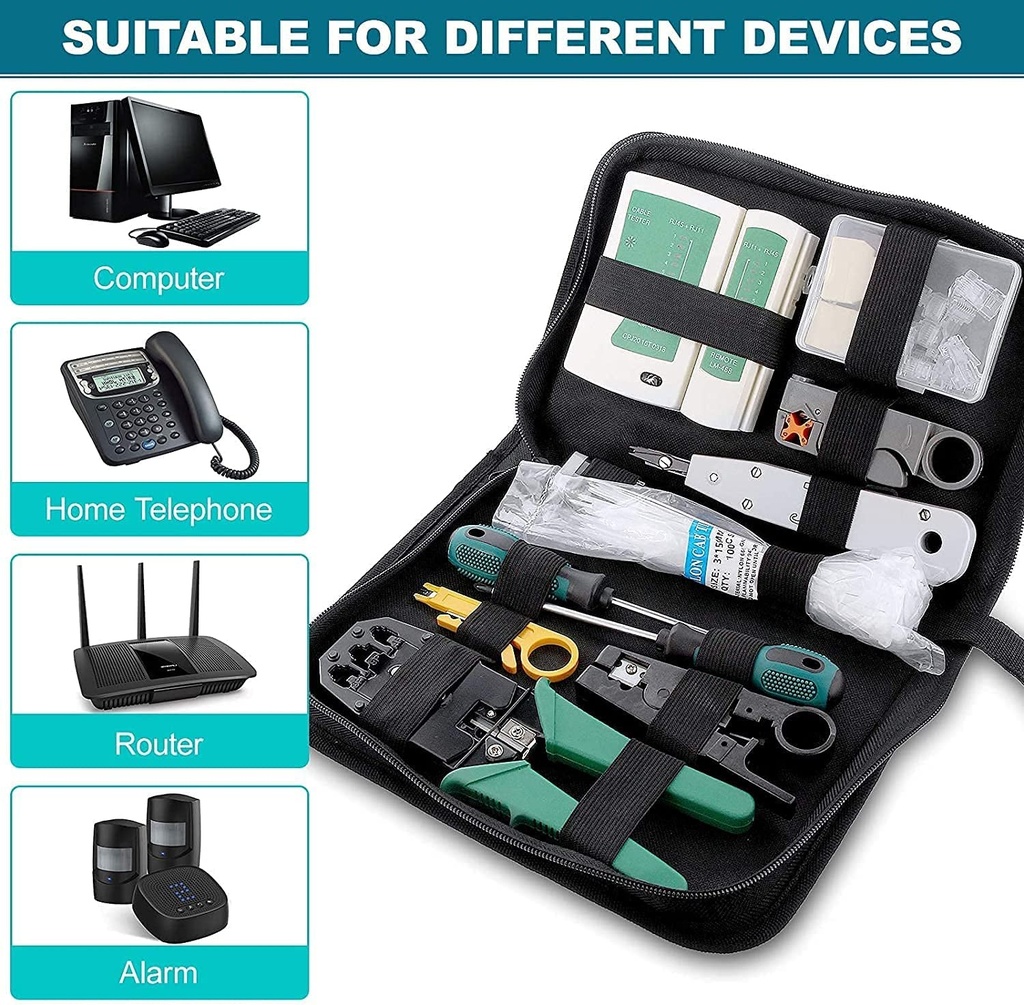
- 🔧【Professional Network Repair Tools】Suitable for telephone lines, alarm cables, computer cables, network cables, coaxial cable, telephone cable.
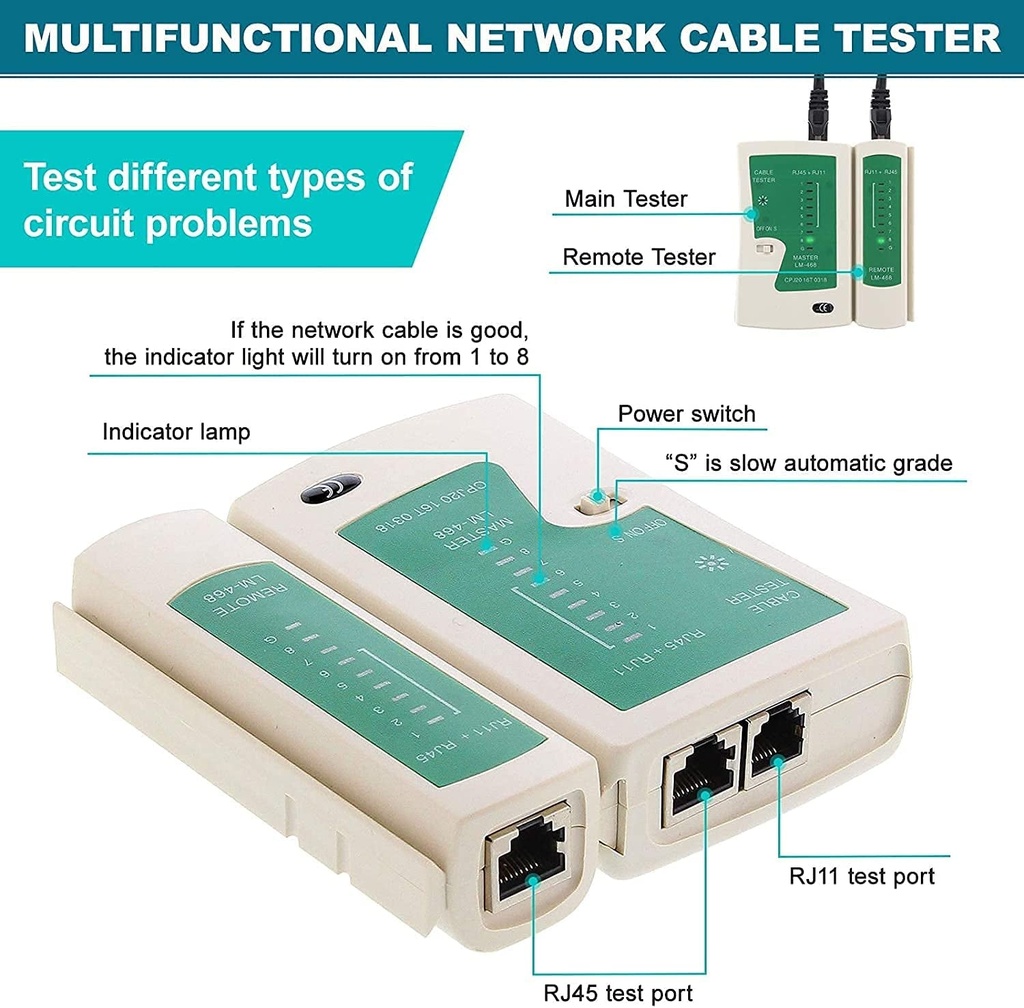
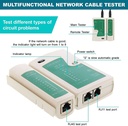
- 🔧【Multifunctional Tester】For RJ-11, RJ-12, RJ-45, CAT5, CAT5e, 10 / 100BaseT, TIA-568A / 568B, AT T 258-A; 9 LED lights: 1, 2, 3, 4, 5, 6, 7, 8 and ground. Powered by a 9V battery (included).
- 🔧【Universal Stripping Tool】 The network repair tool is suitable for DIY, antenna cables / TV cables / coaxial cables / network cables. the sturdy handles and the sharp blades, you can strip the wire in a few seconds without damaging the inside, very practical.
- 🔧【Easy to Use and Carry】 With a zippered bag, you can conveniently store and organize all repair tools. You can use it at home, in the office, in the laboratory, in the dormitory, in the repair shop and in daily life.
Product Description
TOCVEOE Network Repair Tool,Using Our Network Repair Tool Helps You Become An Expert!
TOCVEOE 16-in-1 professional high-quality network cable repair tool kit is a great helper to help you easily manage wiring, termination and troubleshooting, perfect for professional installers or hobbyists.
Advantage:
- Portable and practical tool bag, you can take it anywhere.
- Professional network maintenance tools to meet all your needs.
- Multi-functional cable tester for testing network or telephone cables.
- Professional network cable crimper, saves time and effort, and greatly improves work efficiency.
Multifunction Crimping Pliers
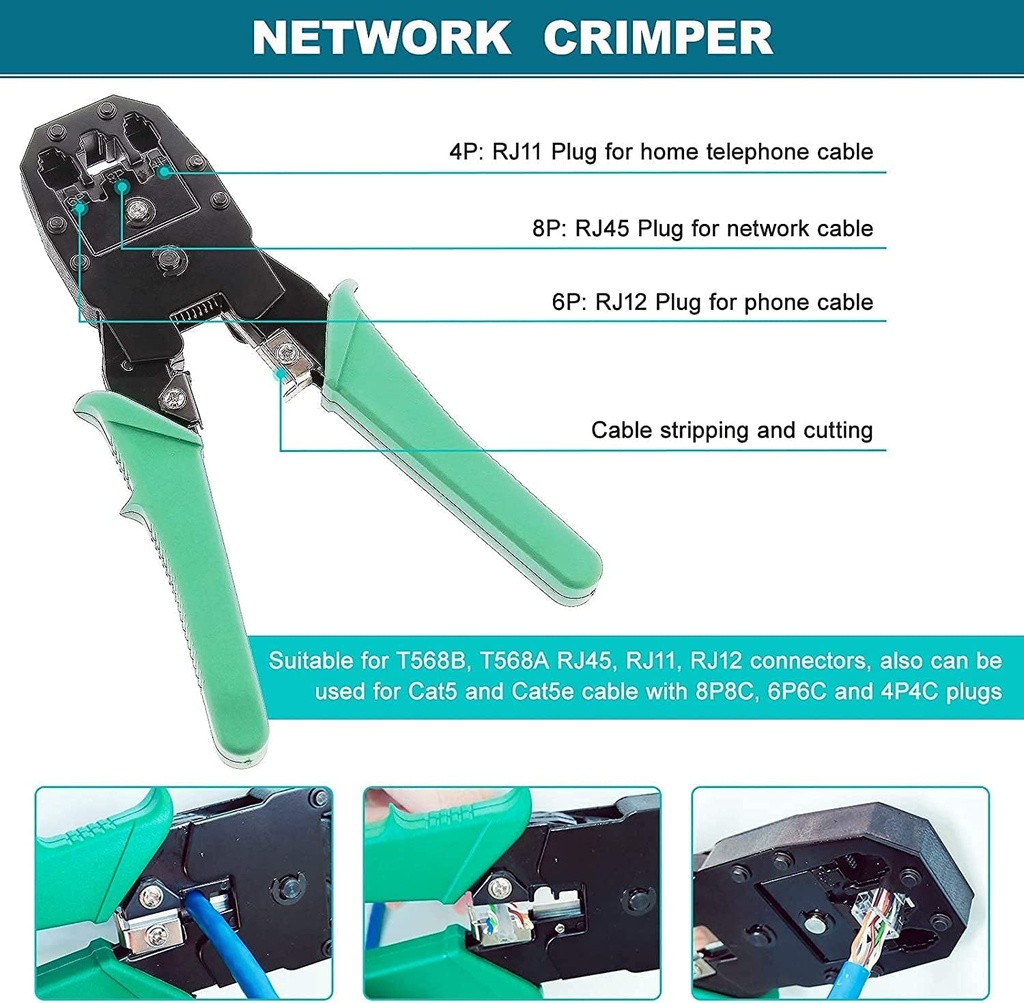
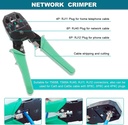
The 3-in-1 crimping tool Crimping pliers, stripper, crimper can be used to crimp RJ11, RJ12 and RJ45 connectors, very quickly and reliably. The handle is ergonomically designed for comfortable use and simple operation.
How to Make an RJ45 Ethernet Cable Connector:
- Put the cable into the RJ45 crimp hole.
- Rotate the cable 360° to strip the housing.
- Align the 8 copper conductor wires in a row.
- Cut the threads with the cutter port blade so that the thread cuts are the same.
- Insert the sequential cable into the end of the crystal head.
- Insert the network cable into the 8P crimp hole.
- Squeeze the handle tightly and release.
- Production of RJ45 network cable connectors completed.
|
|
|
|
|---|---|---|
Easily Test Network CablesIt can test the corresponding twisted pair 1-2-3-4-5-6-7-8 to help you find wiring accidents such as wrong connection, short circuit and open circuit. The network tester is powered by a 9V battery, one is included in the package.
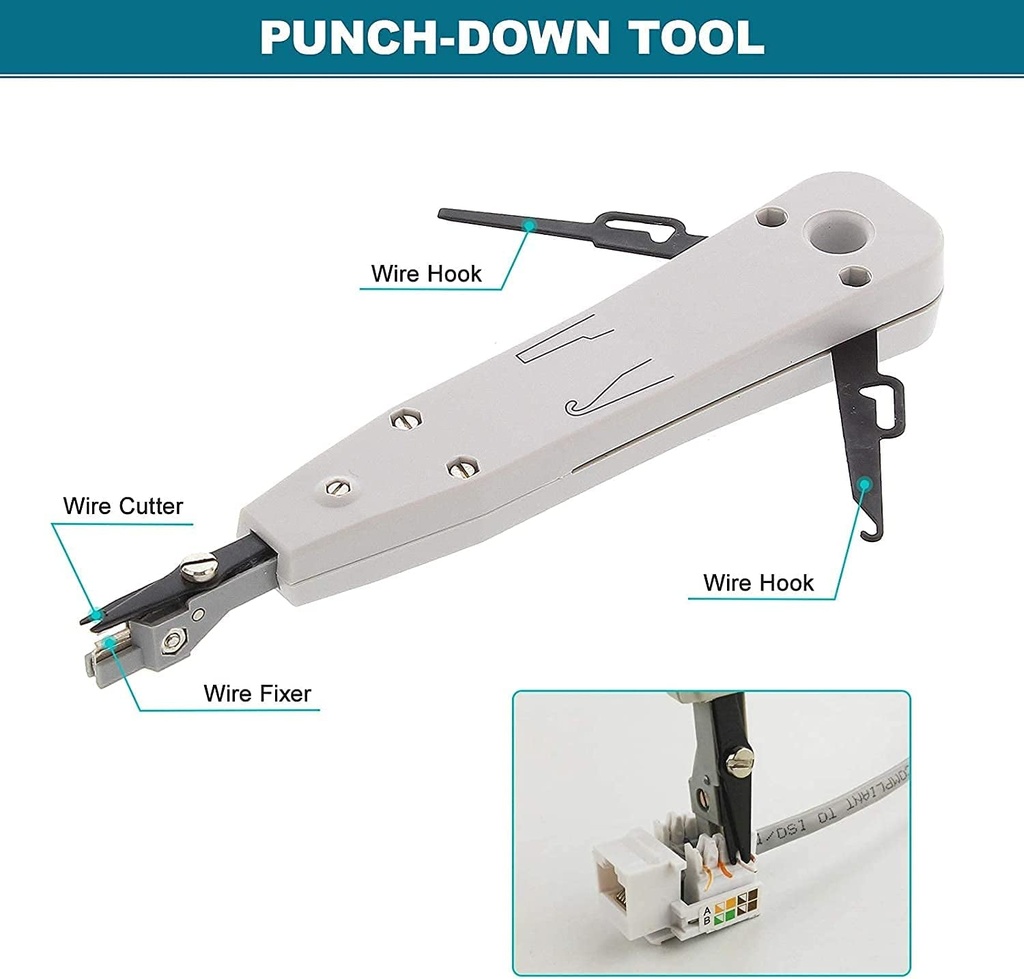
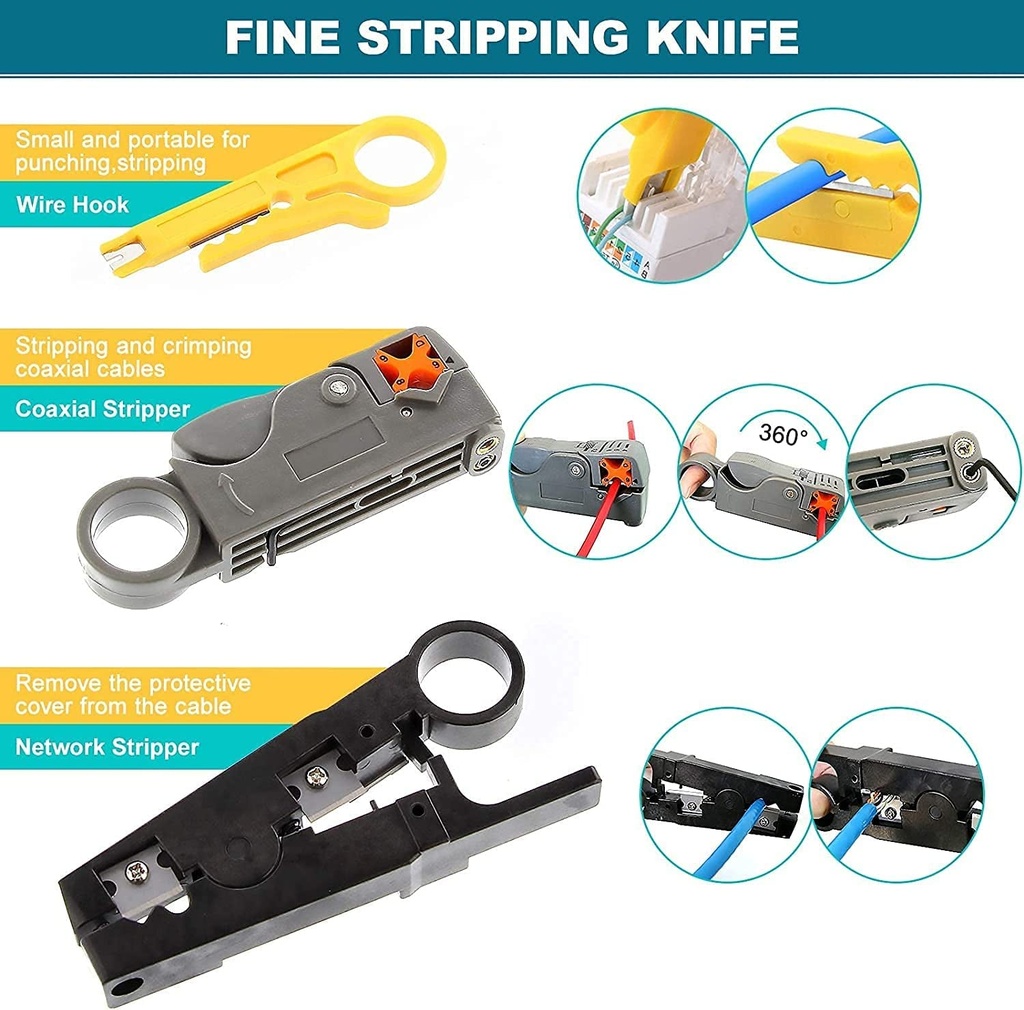
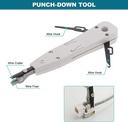
| Use of Coax Stripper1. Adjust the position of the orange square according to the cable model, suitable for RG58, RG59, RG6, RG174. (For example: RG6 cable, align "6" with the black arrow) 2. Insert the wire, insert your finger into the ring of the glove behind the stripper, and rotate 3-4 times to complete the stripping. 3. You can use the hex wrench to easily adjust the depth of the blade, which is convenient and practical. | Use of Punch Tool1.Press the wire - Easily install telephone jacks, network panels or patch panels. 2. Hook the wire - The cable position is incorrect, you can hook the wire and press it into the correct position. 3. Tangent - Cut excess cable in one step. |
|
|
|
|
|---|---|---|
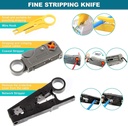
Use of Multifunctional Wire Stripper1. Stripping - You can put STP/UTP, computer cables, telephone cables, etc. into the circular stripping port at the front of the stripper, and put SPT-1, SPT-2, 2P/4P/6P/8P flat wire, etc. into the flat wire stripping port at the back, and rotate the stripping knife with your fingers to finish stripping. 2. Tangent - Place the wire under the cutter and press the stripper to get a clean wire. 3. You can adjust the depth of the blade by adjusting the screw on the front of the stripper. | Use of Mini Stripping Knife1. Stripping - Place the network cable in a specific position of the stripping knife (different models are placed in different positions), and rotate the stripping knife 360° around the network cable to complete the stripping. 2. Pressing and cutting the cable - Firmly insert the network cable and cut the excess cable. | Complete AccessoriesWith a suite of our network repair tools, you can do it all easily. All necessary accessories are provided, no need to buy extra, which is very convenient. At the same time, the storage bag can store all the items well and is convenient to carry. |
Additional Tools & Accessories:
- 1 × Flat Screwdriver
- 1 × Phillips Screwdriver
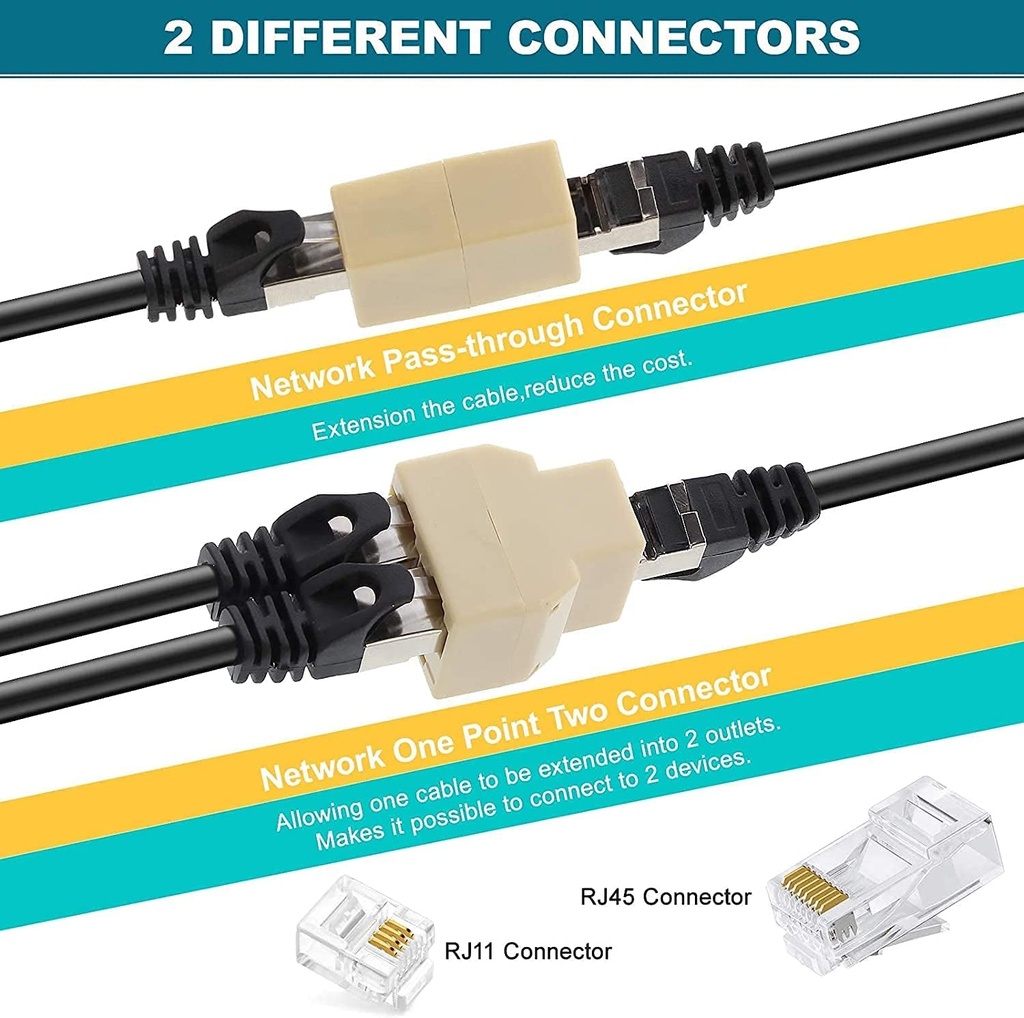
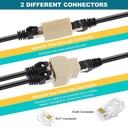
- 1 × Network One Point Two Connector
- 1 × Network Pass-through Connector
- 5 × 6P4C Crystal Head
- 10 × 8P8C Crystal Head
- 100 × Nylon Cable Ties
- 1 × 2m Network Cable
- 1 × Zippered Case
- 1 × User Manual
16PCS Network Cable Tester
Professional, High Quality and Complete Tools.
By using our network toolkit, you no longer have to worry about network cable failure and high maintenance costs, it will help you easily complete the network card installation, network cable repair, computer network installation, network testing, etc., saving time and effort, greatly improving work efficiency, is your best choice!
Main Tools:
- 1 × Network Crimper
- 1 × Network Cable Tester(with 9V battery)
- 1 × Coax Stripper
- 1 × Punching Tool
- 1 × Multi-functional Wire Cutter
- 1 × Mini Stripping Knife
Shipping & Delivery
At SecretGreen, we aim to deliver your order as quickly and safely as possible.
Domestic Shipping :
Orders are typically delivered within 3–6 business days.
International Shipping:
Estimated delivery time is 12–26 business days, depending on the destination and customs processing.
You will receive a tracking number once your order has been dispatched. Delivery times may vary during holidays or due to unforeseen delays.